
In short: The type of mount affects both viewing comfort and interior aesthetics — we compare the available options.
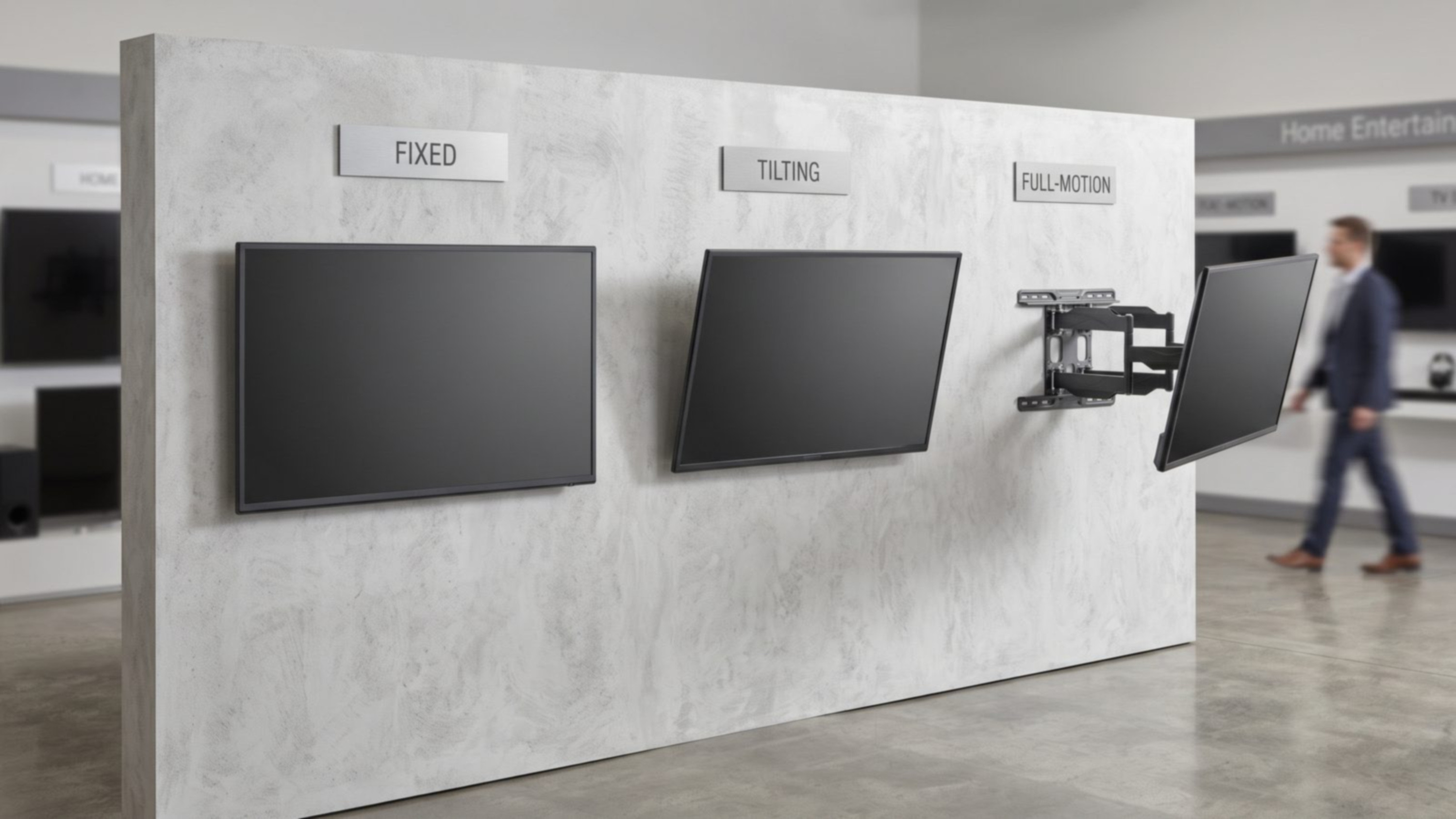
A TV mount is an element easy to overlook while shopping, yet it genuinely determines how comfortable everyday viewing is and how the whole room looks. The choice between a fixed, tilting, or motorized mount depends less on budget than on the room layout and how the TV is actually watched. Below we compare the three basic types and show when each one makes sense.
Fixed Mounts
The simplest and cheapest option — the TV sits close to the wall and doesn't change position. It works well wherever the seating is directly opposite the screen, at a height close to the TV's center. Its drawback is a lack of flexibility — if the furniture layout changes later, or the mounting height turns out to be off, correcting the position is much harder than with an adjustable mount. Fixed mounts do have an advantage that more elaborate solutions often lack: the TV sits close to the wall, which looks good visually and makes cable concealment easier.
Tilting Mounts
These let you angle the TV downward (and sometimes rotate it sideways too), which is useful anywhere the screen is mounted above eye level — a typical situation in a kitchen, above a fireplace, or in a bedroom. Tilting the screen down reduces glare from overhead lighting and improves the viewing angle without needing to lower the TV itself. It's a middle-ground solution — more expensive than a fixed mount, but far cheaper and simpler to install than a motorized version.
Motorized Mounts
These allow the TV's position to be changed remotely — extending it away from the wall, rotating it toward the sofa, or retracting the screen out of sight when not in use. They make the most sense in unusual room layouts: TVs mounted in a corner, living rooms with several seating zones facing different directions, or projects where the TV is meant to "disappear" from view after use (for instance, tucked into cabinetry). This is the most expensive option and requires power at the mounting location, but it's the only one that offers full positioning flexibility without manual adjustment.
- Fixed mount — TV facing one fixed seating spot, aesthetic priority.
- Tilting mount — TV mounted above eye level or requiring occasional angle adjustment.
- Motorized mount — unusual room layout, several viewing zones, or a TV hidden in cabinetry.
What to Check Regardless of Mount Type
Beyond the mechanism itself, two parameters are essential: compliance with the VESA standard (the spacing of the mounting holes on the back of the TV) and the mount's weight rating, which should have some margin above the device's actual weight. Equally important is what the mount is anchored into — masonry walls call for different anchors than drywall on a stud frame, and for heavier TVs on articulating arm mounts, it's worth hitting a structural stud precisely or adding extra reinforcement.
Rule of thumb: the bigger and heavier the TV, and the more it deviates from a single fixed viewing angle, the more worthwhile it is to invest in an adjustable mount.
Summary
There's no single "best" TV mount — there's only the mount best suited to a specific room and how it's actually used. Start by analyzing where the TV is actually watched from and whether that perspective is likely to change, and only then compare prices and models.
Read also: SANUS